09:02
Someone deletes the wrong article.
Six pages linked to it. Open the trash, preview its last state and restore it: it comes back as a draft with its original identifier, so every link works again.
- Trash
- Audit log
Version history for Strapi 5: Revisionary keeps every version of your content. See who changed what, field by field, and put back exactly what you need — on Strapi Community Edition too.
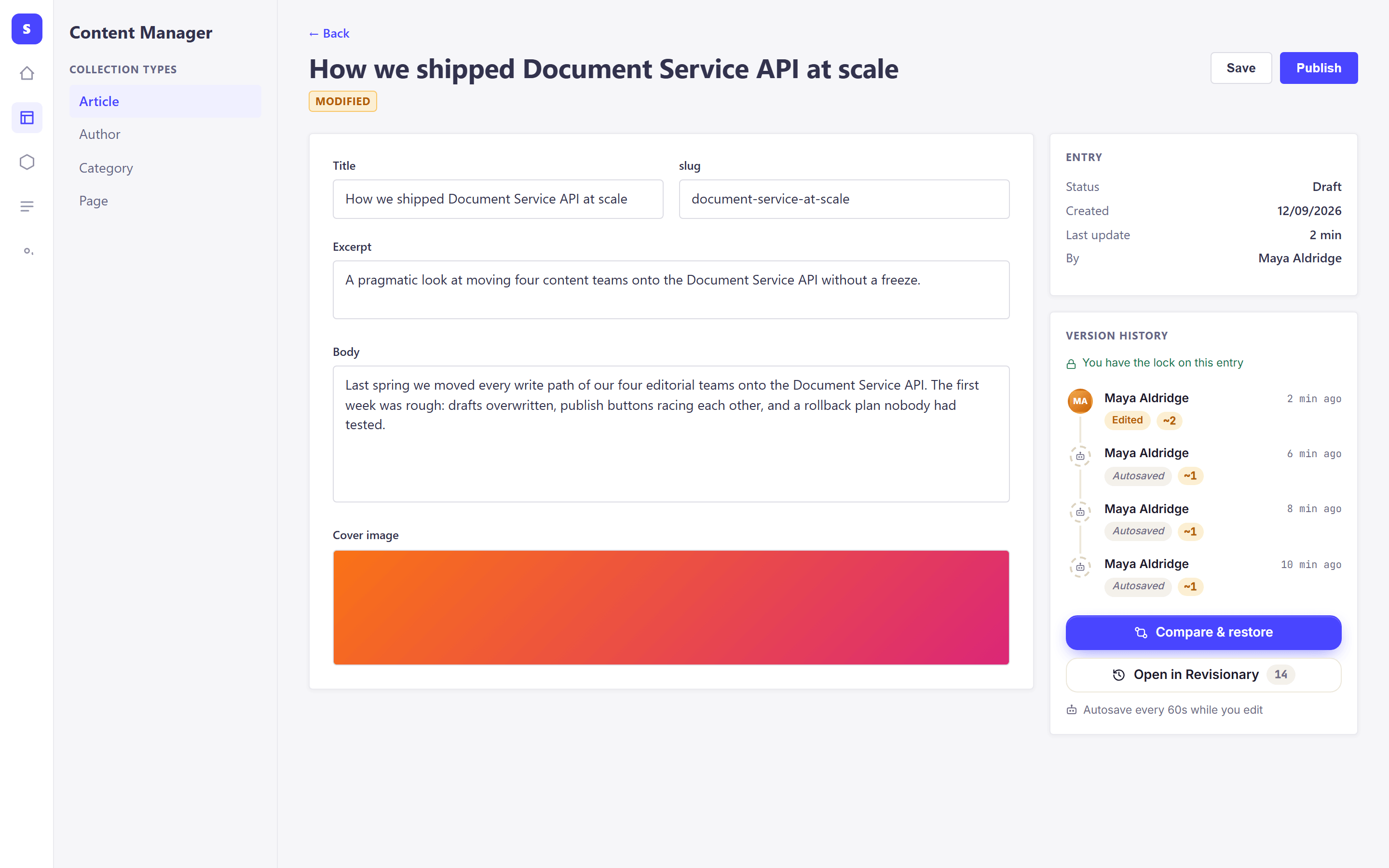
The Version history panel sits next to your fields, and your work is autosaved every 60 seconds.
The real plugin, screen by screen: from the first save to the audit log. Narrated, and every step is also written on screen.
$ echo "@revisionary:registry=https://getrevisionary.com/npm/" >> .npmrc$ npm config set //getrevisionary.com/npm/:_authToken RVSN_1C28…$ npm install @revisionary/strapi-plugin$ echo "REVISIONARY_LICENSE_KEY=RVSN_1C28…" >> .env$ npm run build && npm run developLicense active · Studio

The Version history panel sits next to the fields of every versioned entry: the latest versions, who made them and how much changed.

Side by side: the old version on the left, the new one on the right. Jump from one change to the next with N and P.

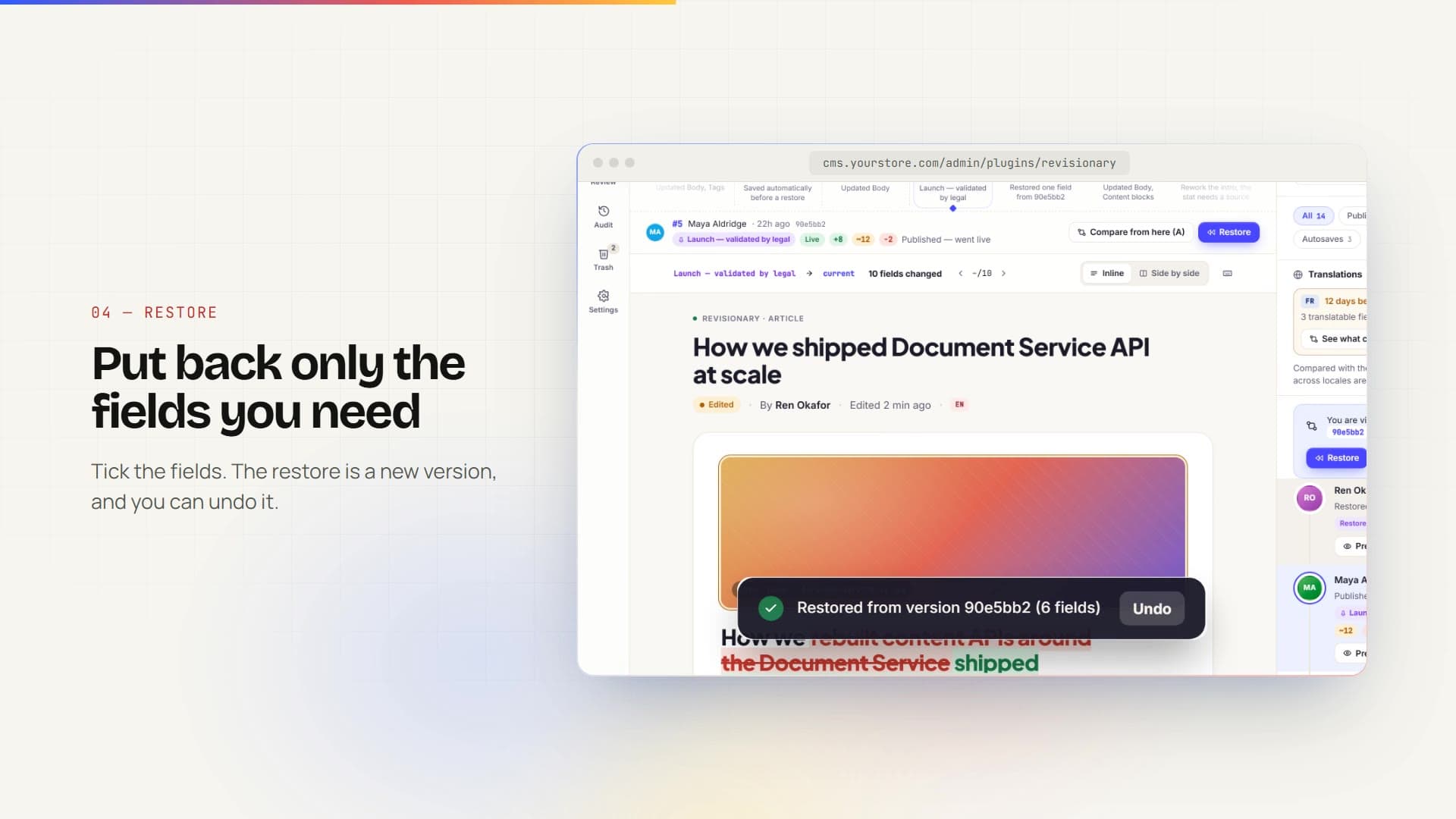
Revisionary lists the fields that differ from the current entry. Only the ticked ones change.

The Review space gathers the entries waiting for a decision, with each discussion anchored to its field.

The audit log, filtered by action and person, ready to export as CSV for your compliance records.
Text is the easy part. Revisionary also compares media, relations, components and dynamic zones the way editors think about them.
Scroll through them.
Six pages linked to it. Open the trash, preview its last state and restore it: it comes back as a draft with its original identifier, so every link works again.
Drag the timeline back to July and compare that version with today’s: every changed field, and who changed it. Name it “Checked by legal” and it is never removed.
Marie opens the history of that one field, finds her sentence and restores only that field. Tom’s other changes stay exactly as they are.
A small demo of how versions work. Edit the entry, save a few versions, then compare any two and restore one.
Start typing. Added and removed words are highlighted as you go.
Our From April, our shop is open Monday to Friday Saturday from 9am to 6pm. 7pm. Sunday stays closed.
Editors get a safety net. Developers get a plugin that stays out of the way.
Pin “Approved by legal” on a version. It is never removed.
The whole history on one line. Compare any two versions.
Every value of one field, and a restore of that field only.
Find a sentence that has since disappeared.
See how far each locale trails, and what changed since.
See what a shorter retention would remove before you save it.
The interface in three languages, light and dark themes.
No paid Strapi plan needed to get content history.
Choose how long autosaves are kept, then cap the versions per entry for each content type. The nightly cleanup does the rest, and published and named versions are always kept. Try it.
The history stays in your own database. Only the license check calls our server, and it never sends your content.
Five Revisionary permissions, on top of each entry’s Content Manager rules: locales, conditions and fields.
Show a past version or a public “what changed” page from your front end, with a token you grant explicitly.
License answers are cached for 72 hours, so an outage of our service cannot break your site.
// config/plugins.tsexport default () => ({revisionary: {enabled: true,config: {contentTypes: ['api::article.article', 'api::page.page'],lockedFields: { 'api::article.article': ['slug'] },excludedFields: { 'api::article.article': ['internalNotes'] },cleanupHourUtc: 2,},},});
One dashboard for every client project. Move a license to the client when the site is handed over, or send them a payment link instead of invoicing yourself. A staging site next to the client’s production never counts. Click Transfer to see it.
Read the agency guideLocal development is always free, and so is staging next to production. Download right after payment.
1 production project
equals €8.25 a month, two months free
5 production projects
equals €20.75 a month, two months free
25 production projects
equals €49.17 a month, two months free
Unlimited projects, SLA
Annual contract, invoiced
Prices exclude VAT. 14-day refund. Cancel anytime from your account.
Compare plans in detailEverything below can be checked in the docs or the live demo before you buy.
If your subscription ends, recording stops after a 14-day grace period. Every version already recorded stays readable and restorable, and nothing is deleted.
One key per subscription, priced by production project. Local development is free and unlimited, and a staging site next to one of your production projects never counts.
Install it with npm or unzip it into src/plugins, add your license key, rebuild the admin. No extra service to run and nothing to change in your content types.
The live demo runs the real interface in your browser. After buying, you have 14 days to ask for a refund, and you can cancel at any time.
Strapi 5 on Community Edition, Node.js 20, 22 or 24, and PostgreSQL, MySQL or SQLite.
Download any version you are entitled to from your dashboard, so you can pin a version or roll back.
Something else? Write to support@getrevisionary.com.
You download it from your dashboard right after payment, as a versioned zip. Every release you are entitled to stays available there, so you can pin a version or roll back.
One production Strapi site per domain: several servers behind the same domain count once. localhost, *.local, *.test and private networks are free and unlimited. A staging, dev or preview subdomain is free next to a production project on the same domain, and for 90 days otherwise. An activation can be released from your dashboard at any time.
You get a 14-day grace period with a banner in the Strapi admin, then Revisionary stops recording new versions. Versions already recorded stay readable and restorable, and nothing is deleted.
No. The history stays in your own database. The license check sends the key, an installation identifier, the project domain and name, the hosts the admin is opened on, the environment, and the Strapi and plugin versions. Never your content.
Yes. Transfer a license to the client’s email from your dashboard, or send them a payment link so they pay directly while you keep managing the project.
Every payment produces an invoice with your company name and VAT number. Valid EU VAT numbers get reverse charge, and a past invoice can be regenerated after you update your details.
One key per subscription, activated on your production projects only. 14-day refund, cancel anytime.


